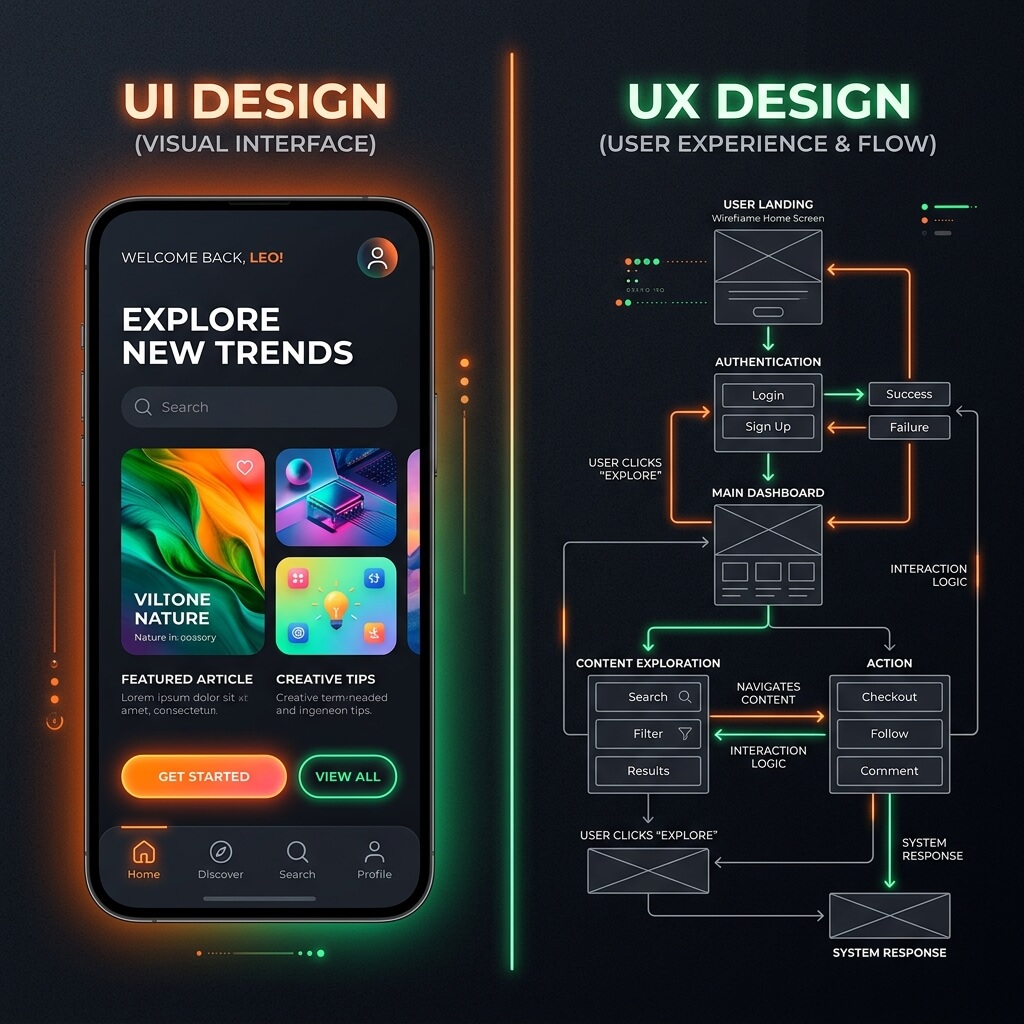
A pretty interface that doesn't work is like a sports car with no engine. It looks great sitting in the driveway, but it won't get you to the store.
People use the terms UI (User Interface) and UX (User Experience) as if they are the same thing. They are not. If you are building software, understanding the line between the two will save you time and support headaches.
Here is a breakdown of what separates them, and why current AI tools are good at one but struggle with the other.
UI: How It Looks
The user interface is the visual layer of your product. It is everything the user sees and clicks. If you are a designer, UI is where you spend your time tweaking pixels and adjusting CSS variables.
Concrete examples of UI
- Colors: Choosing a primary brand color, matching it with a clean secondary tone, and setting a dark mode background.
- Buttons: Defining the border radius, adding a subtle shadow, and creating a hover effect that makes the button feel clickable.
- Layout: Arranging items in a clean grid, managing margins, and making sure the content fits nicely on a mobile screen.
- Typography: Selecting a readable font like Inter for body copy and using Outfit for bold headings.
If a site feels clean and polished, that is good UI. But a polished button is useless if clicking it does not do what the user expects.
UX: How It Works
User experience is the system behavior. It is the journey a person takes to accomplish a task. Good UX is invisible. When you design a system well, the user moves from start to finish without needing a manual.
Concrete examples of UX
- User flows: Designing a checkout process that lets a user buy a product in three clicks instead of forcing them through five different pages.
- Intuitiveness: Placing the search bar exactly where users expect to find it, usually top right or center, and making it clear how to filter results.
- Graceful errors: If a database query fails, showing a message like "We could not load your data right now. Please try reloading the page," rather than showing a raw database error code or letting the screen freeze.
- State changes: Showing a skeleton loader so the user knows the page is loading, or disabling a submit button after it is clicked so they do not submit a payment twice.
UX is about anticipating friction and removing it before the user gets annoyed.
Why AI Struggles With UX
If you ask a modern AI tool to design a landing page, it will spit out a beautiful design in seconds. The UI will look clean, the colors will match, and the buttons will have perfect shadows.
But if you ask that same AI to build the application logic, the UX usually falls apart.
AI builds the happy path
AI models train on examples of working software. When they generate code, they assume everything goes perfectly. They build for the happy path: the user enters a clean email address and the network connection is strong.
Real life is not a happy path. Users will paste formatted text with weird characters into your input fields. They will click a submit button five times in a row. They will lose cell service mid-transaction. AI does not naturally write code for these moments because it does not anticipate frustration.
Messy human data is hard for algorithms
AI likes clean, structured inputs. Humans do not. A user might write their name in all caps, or use emojis in an address field, or paste a tracking code instead of a promo code.
A human developer knows to sanitize inputs, strip whitespace, and show helpful hints. An AI often misses these details, leading to database errors or broken layouts when the data gets messy.
UX requires human psychology
Designing a good interaction requires understanding how people think and feel. When a user sees a spinner that lasts longer than three seconds, they start to worry. A human designer adds a helpful loading tip or a progress bar to ease that anxiety.
AI does not feel anxiety, so it does not design to prevent it. It does not understand the subtle nuances of human psychology, like the cognitive load of having too many options on a screen, or the panic of a failed payment.
Wrapping It Up
UI is the skin of your product; UX is the spine.
You can use AI to speed up your styling, generate layouts, or mock up ideas. But do not expect it to design a functional system for real people. To build software that works, you still need to plan for failure and understand how humans actually use tech.